Multilayer PCB Design – An Introduction Tutorial
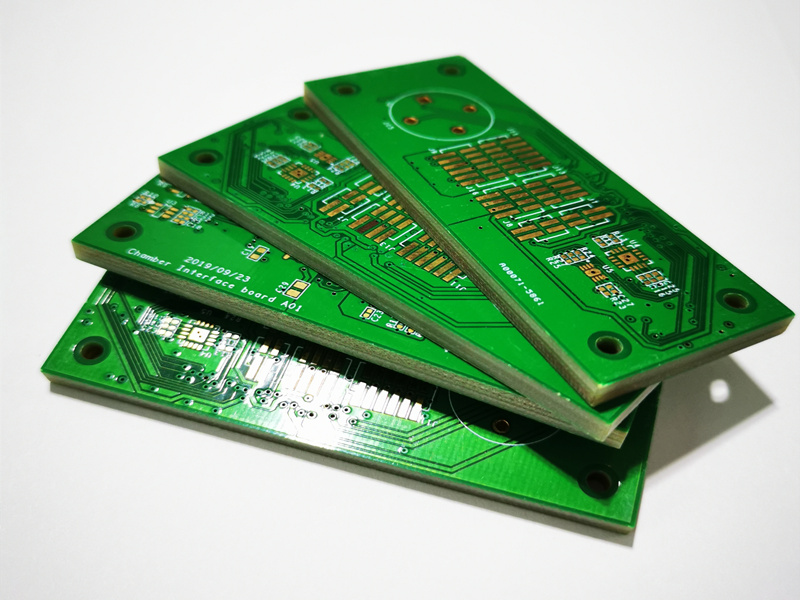
If you only lay out a simple one or two-layer printed circuit board, you will find that laying out a multilayer PCB is similar to a six-layer cake. It will
require more time, skills, and money, but it will be a happy design challenge. In our multi-layer design
tutorial, we will show you some of the new methods that will be required to design your PCB.
Step 1 of the Preparation and Setup
You may need to add layers or attributes to the schematic if an older PCB is not large enough. You can
add layers to your schematic depending on the CAD software you use. It is where having access to a more
advanced PCB design system with links to online library services. PCB prototyping is easier when you use
the most recent and accurate PCB package data.
The layer stacking is the main difference between a two-layer and a multi-layer board.
When planning your board stack, here are some important points to keep in mind:

Performance: Circuit running speed and final working environment can influence the
materials used for circuit boards. You may find that a higher-grade material than FR-4 is more
appropriate for your requirements. These materials can still affect certain parameters, such as the
impedance calculation. PCB manufacturers can be a great source of information.
Cost: The cost of a circuit board is directly affected by the manufacturing materials,
PCB layers and configuration. Your manufacturer should discuss all your options together.
Density: The routing densities of the board are another factor that determines the PCB
stack-up configuration. After you’ve started your layout, it can be very difficult to add more
layers to the board design. You may have to change the CAD database and make changes to the board
layout. If you begin with too many layers you will end up paying more for the board.
Circuit: It is important to know the requirements of the circuit in order to create the
optimal layer configuration. For example, sensitive signal may require stripline layer configurations
for the best performance. This means adding more circuit board groundplanes. Separating analog and
digital circuits will require the use of ground planes. The board power supply will also need to remain
isolated. This can have an impact on the layer configuration. Therefore, it is important to plan this
before you begin the layout.
After the board layers stack is created in the database layout, you can start placing and routing the
board.
The Board Outline Generator allows you to create an easy board layer stack.
Different Views on Location and Route
One of the most important things to consider when working on a multilayered layout is the 3D aspects. In
a two-layer board, you only need to think about the top and bottom. Now, you’re in a world of
multiple layers with many different things going on inside. These can be on the top or bottom. You may
not want to put a noisy component in a particular location due to sensitive routing below.
The tools used to place components on the board will be identical, but their appearance will differ. You
won’t need to leave enough space between the parts you want to route, for example, because they will
be routed on internal layers. For sensitive circuits, you’ll need to use short and direct paths. In
most cases, however, you will have more room to work. This is also a good thing because a board with
multiple layers may require you to place more components.
Here are some important considerations to make in the interim:
Multilayer boards have more routing and components than double-sided board. Plan ahead. Some circuit
boards may require specific widths, spaces, or other requirements.
Certain routings will require a structure of stripline layers and must be routed in a layer close to the
ground plane. To reduce the possibility of broadside coupling and crosstalk, sensitive routing should
also cross adjacent internal signal layers vertically.
The ground plane has many holes for connections. However, these holes may interfere with the return path
of the signal. You must plan your routes carefully to avoid blocking the signals.
Arrange the split planes in a way that sensitive signals don’t cross over the split and disrupt
their return path. This would create a lot noise on the board.
After you have verified the layout and routing of the board, the rest will function like a double-sided
design. You are now ready to construct the board.
Circuit board design requires a 3-D perspective when designing multi-layer PCBs.

Finish Your Design by Completing It with Output Files and Documentation
Ichcip7 Circuit Board Assembly Services In order to put a multilayer PCB design in production, you must
create the same documentation as you have always done, with some exceptions. You will first need to add
more details to your manufacturing drawings. You will need to include stackup information for your
multilayer board in your manufacturing drawings, along with instructions on how to construct this board.
If you use Gerber files to manufacture your boards, you will need to create additional files.
Fortunately PCB design software already has the tools necessary to design multi-layer boards. The CAD
PCB designer is an advanced software that includes an online CAD service, a wizard for creating board
outline, as well as tools to generate manufacturing and documentation.