
New title

<h1> Memory Card, Module Accessories </h1> <p> Supplementary items used with other devices in this category. </p> <p>
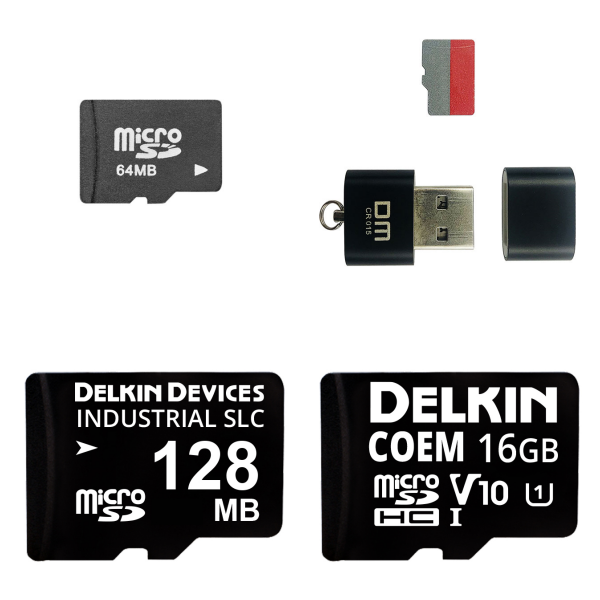
<h1> Memory Cards </h1> <h2> 1. What are Memory Cards? </h2> <p> A memory card is an electronic data storage device used to store digital information, typically using flash memory. They are commonly used in digital portable electronic devices. They allow the use of a slotted card (rather than a protruding USB flash drive) to add memory to such devices. </p> <p>   </p> <h2> 2. What are the Types of Memory Cards? </h2> <p> Secure Digital (SD) </p> <p> Compact Flash (CF) </p> <p> Memory Stick (MS) </p> <p> Other types include XD-Picture Cards, SmartMedia, MultiMediaCard (MMC), and microSD. </p> <p>   </p> <h2> 3. What is the Purpose of Memory Cards? </h2> <p> A memory card is an electronic data storage device used to store digital information, typically using flash memory. They are commonly used in digital portable electronic devices. They allow the use of a slotted card (rather than a protruding USB flash drive) to add memory to such devices. </p> <p>   </p> <h2> 4. How do Memory Cards Work? </h2> <p> A memory card (sometimes also called a flash memory card or memory card) is a small storage device that uses non-volatile semiconductor memory to store data on portable or remote computing devices. As the name suggests, the card stores data in the form of a memory chip. The chip is connected to a small printed circuit board, enabling it to communicate with the device it is inserted into. Cards can be inserted into a device, which can then read and write data. </p> <p>   </p> <h2> 5. What are Memory Cards Used for? </h2> <p> They are commonly used in digital cameras, mobile phones, laptops, tablets, video game consoles, and other electronic devices. They are used to store photos, videos, music, documents, and other types of data. </p> <p>   </p> <p>
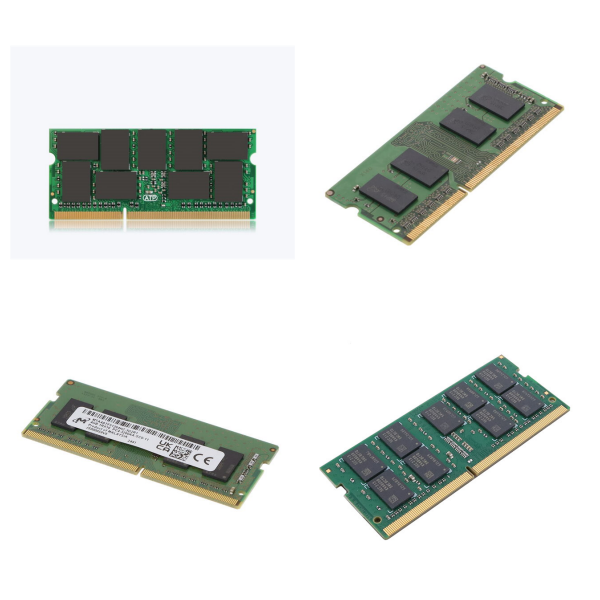
<h1> Memory - Modules </h1> <p> Memory modules are core components used for data storage in computer hardware. They typically refer to memory sticks installed in dedicated slots on the motherboard. They consist of multiple DRAM chips integrated onto a printed circuit board (PCB), enabling high-speed data exchange between the CPU and the memory system. Their primary function is to temporarily store data and instructions during processing, improving system efficiency. </p> <p>   </p> <h2> 1. What are the Components of Memory Modules? </h2> <p> The core structure of a memory module consists of a PCB substrate, soldered DRAM chips, and gold-finger connectors. The PCB typically uses a six-layer design to reduce signal interference, with 8-16 DRAM chips soldered onto the surface to form a memory array. Gold-plated gold-finger connectors provide electrical connections. DIMMs utilize independent pins on both sides to support 64-bit data paths. SOJ (Single-on-J) packaging is the primary packaging format, suitable for high-density assembly. </p> <p>   </p> <h2> 2. What are the Types of Memory Modules? </h2> <p> Based on the pin design and application scenario, memory modules are primarily categorized as follows: </p> <p> <strong>1) DIMM (Dual In-line Module)</strong>: The mainstream type, such as 168-pin SDRAM and 240-pin DDR5, provides a 64-bit data path and is suitable for desktops and servers. </p> <p> <strong>2) ‌SIMM (Single In-line Module)</strong>: An early 30- or 72-pin specification with a low upper capacity limit for a single physical bank. </p> <p> <strong>3) ‌Subtype Evolution‌</strong>: </p> <p> <strong>UDIMM</strong>: An unbuffered design with low latency but less stability. </p> <p> <strong>SO-DIMM</strong>: A smaller version used in portable devices such as laptops. </p> <p> <strong>RDIMM/LRDIMM</strong>: Registered server-specific modules with improved stability and capacity. </p> <p>   </p> <h2> 3. What are the Working Principles and Key Technologies of Memory Modules? </h2> <p> Memory modules manage data using a physical bank and logical bank architecture. A physical bank is determined by the combined bit width of multiple chips (for example, eight 8-bit chips form a 64-bit data channel), enabling bulk data transfer to the CPU. A logical bank addresses memory cells within the chip using row/column addresses. A single DRAM chip typically integrates four to eight logical banks. Key parameters include: </p> <p> ‌CAS Latency‌: The delay in column address access cycles, which affects response speed. </p> <p> ‌Prefetch Technology‌: For example, DDR5 increases transfer rates to 4800Mbps by extending burst length and using 4-bit prefetch. </p> <p>   </p> <h2> 4. What are the Applications and Development Trends of Memory Modules? </h2> <p> Widely used in PCs, workstations, and servers, compatibility depends on the motherboard slot and chipset limitations (for example, the Intel 430HX chipset requires a single physical bank size of ≤ 64MB). Technological evolutions include: </p> <p> The transition from SIMM to DIMM, with DDR5 supporting higher bandwidth and energy efficiency. </p> <p> Innovations include the CXL module, which achieves 32 GT/s transfer speeds via PCIe 5.0 and supports memory pooling technology; the SOCAMM and CAMM2 specifications reduce size and increase capacity to 128GB. </p> <p>
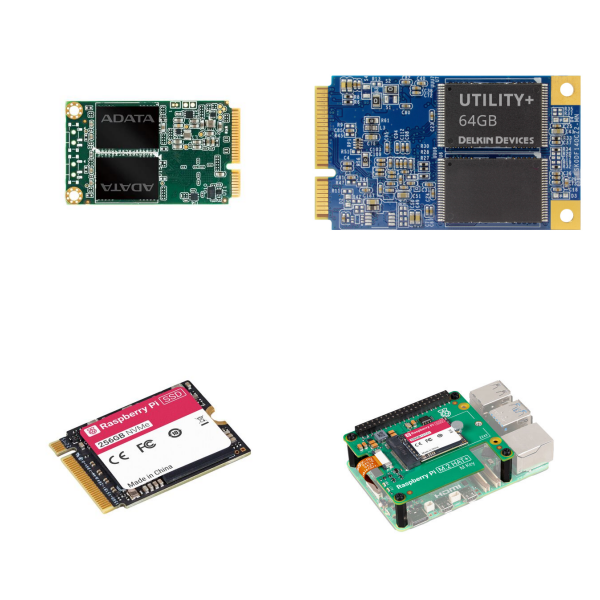
<h1> Solid State Drives (SSDs), Hard Disk Drives (HDDs) </h1> <h2> ‌1. What are the Core Principles and Structure of SSDs and HDDs?‌ </h2> <p> <strong>‌HDD‌</strong>: Reads and writes data using a high-speed rotating magnetic platter and a magnetic head arm, similar to the operation of a traditional record player. Its mechanical structure makes it susceptible to vibration and produces noise during operation. </p> <p> <strong>‌SSD‌</strong>: It uses NAND flash memory chips to store data, has no mechanical parts, and relies on electrical signals for transmission. Based on the interface, it can be divided into SATA SSDs (speeds of approximately 500-600MB/s) and NVMe SSDs (speeds of up to 3500-7000MB/s). </p> <p>   </p> <h2> 2. Performance and Feature Comparison between SSDs and HDDs‌‌ </h2> <table> <tbody> <tr class="firstRow"> <td width="101" valign="top" style="padding: 0px 7px; border-width: 1px; border-color: windowtext; background: rgb(190, 190, 190);"> <p> Dimensions </p> </td> <td width="231" valign="top" style="padding: 0px 7px; border-width: 1px; border-color: windowtext; background: rgb(190, 190, 190);"> <p> ‌HDD </p> </td> <td width="237" valign="top" style="padding: 0px 7px; border-width: 1px; border-color: windowtext; background: rgb(190, 190, 190);"> <p> ‌SSD </p> </td> </tr> <tr style="height:47px"> <td width="101" valign="top" style="padding: 0px 7px; border-left-width: 1px; border-left-color: windowtext; border-right-width: 1px; border-right-color: windowtext; border-top: none; border-bottom-width: 1px; border-bottom-color: windowtext;"> <p> ‌Speed </p> </td> <td width="231" valign="top" style="padding: 0px 7px; border-left-width: 1px; border-left-color: windowtext; border-right-width: 1px; border-right-color: windowtext; border-top: none; border-bottom-width: 1px; border-bottom-color: windowtext;"> <p> Sequential read and write speeds of approximately 100-200MB/s </p> </td> <td width="237" valign="top" style="padding: 0px 7px; border-left-width: 1px; border-left-color: windowtext; border-right-width: 1px; border-right-color: windowtext; border-top: none; border-bottom-width: 1px; border-bottom-color: windowtext;"> <p> NVMe SSDs can reach over 7000MB/s </p> </td> </tr> <tr style="height:52px"> <td width="101" valign="top" style="padding: 0px 7px; border-left-width: 1px; border-left-color: windowtext; border-right-width: 1px; border-right-color: windowtext; border-top: none; border-bottom-width: 1px; border-bottom-color: windowtext;"> <p> ‌Vibration Resistance </p> </td> <td width="231" valign="top" style="padding: 0px 7px; border-left-width: 1px; border-left-color: windowtext; border-right-width: 1px; border-right-color: windowtext; border-top: none; border-bottom-width: 1px; border-bottom-color: windowtext;"> <p> Low (susceptible to wear and tear of the magnetic head) </p> </td> <td width="237" valign="top" style="padding: 0px 7px; border-left-width: 1px; border-left-color: windowtext; border-right-width: 1px; border-right-color: windowtext; border-top: none; border-bottom-width: 1px; border-bottom-color: windowtext;"> <p> High (no mechanical parts) </p> </td> </tr> <tr style="height:29px"> <td width="101" valign="top" style="padding: 0px 7px; border-left-width: 1px; border-left-color: windowtext; border-right-width: 1px; border-right-color: windowtext; border-top: none; border-bottom-width: 1px; border-bottom-color: windowtext;"> <p> ‌Power Consumption and Noise </p> </td> <td width="231" valign="top" style="padding: 0px 7px; border-left-width: 1px; border-left-color: windowtext; border-right-width: 1px; border-right-color: windowtext; border-top: none; border-bottom-width: 1px; border-bottom-color: windowtext;"> <p> Higher power consumption, noisy operation </p> </td> <td width="237" valign="top" style="padding: 0px 7px; border-left-width: 1px; border-left-color: windowtext; border-right-width: 1px; border-right-color: windowtext; border-top: none; border-bottom-width: 1px; border-bottom-color: windowtext;"> <p> Lower power consumption, silent operation </p> </td> </tr> <tr style="height:27px"> <td width="101" valign="top" style="padding: 0px 7px; border-left-width: 1px; border-left-color: windowtext; border-right-width: 1px; border-right-color: windowtext; border-top: none; border-bottom-width: 1px; border-bottom-color: windowtext;"> <p> ‌Lifespan </p> </td> <td width="231" valign="top" style="padding: 0px 7px; border-left-width: 1px; border-left-color: windowtext; border-right-width: 1px; border-right-color: windowtext; border-top: none; border-bottom-width: 1px; border-bottom-color: windowtext;"> <p> Theoretically, no write limit </p> </td> <td width="237" valign="top" style="padding: 0px 7px; border-left-width: 1px; border-left-color: windowtext; border-right-width: 1px; border-right-color: windowtext; border-top: none; border-bottom-width: 1px; border-bottom-color: windowtext;"> <p> Flash memory chips have a limited number of erase and write cycles </p> </td> </tr> <tr style="height:27px"> <td width="101" valign="top" style="padding: 0px 7px; border-left-width: 1px; border-left-color: windowtext; border-right-width: 1px; border-right-color: windowtext; border-top: none; border-bottom-width: 1px; border-bottom-color: windowtext;"> <p> ‌Data Recovery </p> </td> <td width="231" valign="top" style="padding: 0px 7px; border-left-width: 1px; border-left-color: windowtext; border-right-width: 1px; border-right-color: windowtext; border-top: none; border-bottom-width: 1px; border-bottom-color: windowtext;"> <p> Recoverable after damage </p> </td> <td width="237" valign="top" style="padding: 0px 7px; border-left-width: 1px; border-left-color: windowtext; border-right-width: 1px; border-right-color: windowtext; border-top: none; border-bottom-width: 1px; border-bottom-color: windowtext;"> <p> Data is generally unrecoverable </p> </td> </tr> <tr style="height:47px"> <td width="101" valign="top" style="padding: 0px 7px; border-left-width: 1px; border-left-color: windowtext; border-right-width: 1px; border-right-color: windowtext; border-top: none; border-bottom-width: 1px; border-bottom-color: windowtext;"> <p> ‌Price </p> </td> <td width="231" valign="top" style="padding: 0px 7px; border-left-width: 1px; border-left-color: windowtext; border-right-width: 1px; border-right-color: windowtext; border-top: none; border-bottom-width: 1px; border-bottom-color: windowtext;"> <p> Large capacity, low unit price (excellent per GB cost) </p> </td> <td width="237" valign="top" style="padding: 0px 7px; border-left-width: 1px; border-left-color: windowtext; border-right-width: 1px; border-right-color: windowtext; border-top: none; border-bottom-width: 1px; border-bottom-color: windowtext;"> <p> Unit price is relatively high, but prices are declining </p> </td> </tr> </tbody> </table> <p>   </p> <h2> ‌3. Physical Form Factor and Interfaces of SSDs and HDDs‌ </h2> <p> <strong>1) ‌HDD‌</strong>: Mainly 2.5-inch (laptops) and 3.5-inch (desktops), with SATA as the only interface. </p> <p> <strong>2) ‌SSD‌</strong>: Available in various forms, including: </p> <p> <strong>‌SATA Interface‌</strong>: 2.5-inch drives, compatible with traditional hard drive slots. </p> <p> <strong>‌M.2 Interface‌</strong>: Supports SATA or NVMe protocols, with sizes of 2242/2260/2280. </p> <p> <strong>‌PCIe Interface‌</strong>: Directly connects to the motherboard slot, providing the highest bandwidth (such as PCIe 4.0). </p> <p>   </p> <h2> ‌4. Recommended Application Scenarios of SSDs and HDDs‌ </h2> <h3> 1) ‌Choose an SSD‌: </h3> <p> <strong>Applications requiring high-speed response</strong>: Operating system disks, game loading, professional software (video editing/data processing). </p> <p> <strong>Mobile Devices</strong>: Laptops and portable devices (highly demanding earthquake resistance). </p> <p>   </p> <h3> 2) ‌Choose an HDD‌: </h3> <p> <strong>Large-capacity cold storage</strong>: Audio and video backup, surveillance video. </p> <p> Tasks with limited budgets and low-speed requirements. </p> <p>   </p> <h2> ‌5. Technology Evolution Trends of SSDs and HDDs‌ </h2> <p> <strong>‌SSD‌</strong>: NVMe Gen4/PCIe 4.0 becomes mainstream in high-end storage, with future focus on increasing capacity and optimizing lifespan. </p> <p> <strong>‌HDD‌</strong>: Continuous development of high-capacity technologies (e.g., 20TB+) maintains advantages in cost-sensitive areas. </p> <p>
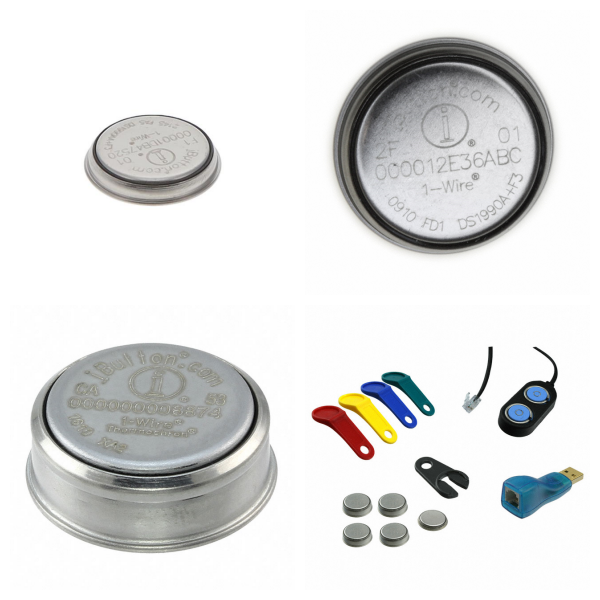
<h1> Specialized </h1> <p> Devices designed to provide a specific function in specialized situations. </p> <p>
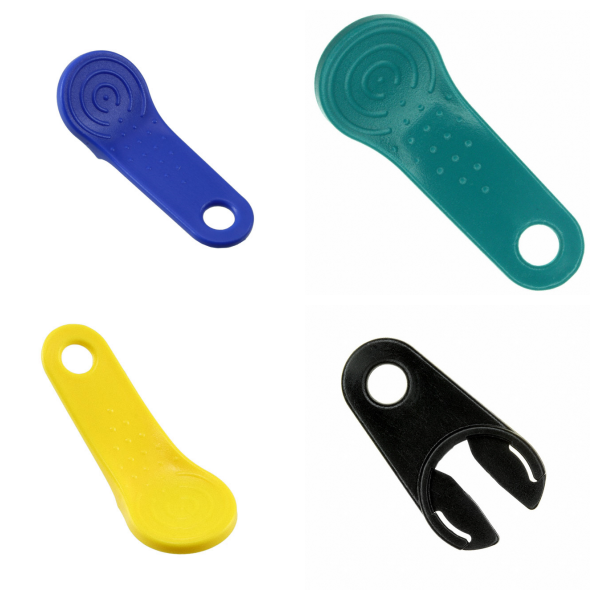
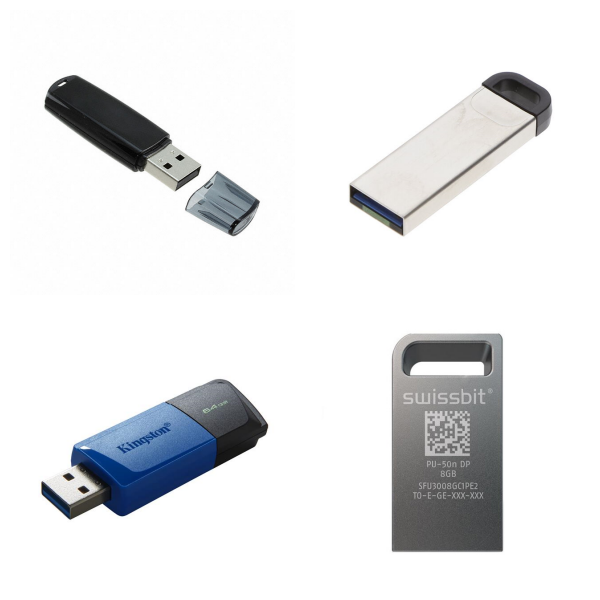
<h1> USB Flash Drives </h1> <p> A USB flash drive (commonly known as a USB stick) is a portable storage device that connects to a computer or other device via a USB interface, enabling plug-and-play data storage and transfer. Based on flash memory technology, it contains a printed circuit board and a USB connector. It is compact and lightweight (approximately 20 grams), making it easy to carry. </p> <p>   </p> <p> Technically, USB versions have seen increasing speeds: USB 1.0/1.1 (12Mbps), USB 2.0 (480Mbps), and finally USB 3.0 (5Gbps), the latter of which is backwards compatible. Flash memory types include SLC (high endurance), MLC (balanced performance), and TLC (low cost). The increase in the number of bits per cell impacts performance and endurance. </p> <p>   </p> <p> The advantages of this device lie in its high portability, large capacity (ranging from several GB to several TB), and strong compatibility. It is shock-resistant, moisture-resistant, and magnetically resistant, ensuring data security and reliability. Users can easily use it for file transfer, data backup, sharing, or as an operating system installation medium. It requires no external power supply and is compatible with mainstream operating systems such as Windows and macOS. </p> <p>   </p> <p> Precautions for use include safely removing the device to avoid data corruption and regularly scanning for viruses to ensure the security of sensitive information. With the development of technology, USB flash drives have become an essential tool for hybrid office and daily digital life, continuously driving the miniaturization and high performance of storage devices. </p> <p>   </p> <p>

Memory – Modules, Cards

Memory – Modules, Cards mainly refer to integrated memory modules and memory card products, whose core function is to provide high-performance, high-density data storage solutions for various electronic devices.

1. Overview‌

‌Memory Modules

Usually, multiple memory chips (such as DRAM or SRAM) are integrated on a PCB substrate and connected to the main system through a standardized interface. For example, memory sticks (DIMM/SO-DIMM) belong to this category. Multiple DRAM chips form a super-cell array inside, and data addressing is achieved through row and column addresses (RAS/CAS).

‌Memory Cards

Including portable storage media such as CompactFlash and SD cards, using flash memory technology (such as NAND Flash) to achieve non-volatile data storage, suitable for mobile devices or embedded systems.

2. What the ‌Main Types of Memory Modules and Cards?‌

‌Dynamic Random Access Modules (DRAM Modules)

Such as DDR4/DDR5 memory sticks, which increase the data transmission rate through synchronous clocks and are widely used in computer main memory.

‌Static Random Access Modules (SRAM Modules)

Applicable to high-speed cache scenarios, due to the low latency characteristics of the bistable circuit design, but the cost is relatively high‌.

‌Specialized Memory Cards

Such as the industrial-grade OMG-COMM8-PCI card, which supports specific protocols (such as CompactPCI) and is used in communication equipment or industrial control systems‌.

3. ‌Brands and Manufacturers for Memory Modules and Cards‌

‌Mainstream brands

Kingston, Samsung, Micron, etc. provide standardized memory modules; Dataram, Meritec, and other manufacturers focus on customized storage solutions‌.

‌Technical Features

High-end modules use heat sink packaging (such as FBD-533 memory) and support ECC verification to improve data reliability‌.

4. What are Memory Modules and Cards Used for?‌

‌Servers and Data Centers

Large-capacity RDIMM/LRDIMM modules are used to increase server memory bandwidth and capacity‌.

‌Embedded Systems

Memory cards such as CompactFlash are suitable for IoT devices and industrial controllers due to their small size and low power consumption‌.

‌Consumer Electronics

DDR memory sticks and SD cards are widely used in terminal devices such as PCs and smartphones‌.

The technological evolution direction of such products is higher density (such as 3D stacking technology), lower power consumption (LPDDR5), and higher speed interface (PCIe 5.0)‌.

Memory Modules and Cards FAQs

1. How do you choose memory modules and cards?

Capacity: Choose according to the device requirements, for example, 4K/8K video shooting requires 128 GB and above.

Speed level: Pay attention to the write speed (such as V30, V60) to ensure smooth HD video recording.

Compatibility: Confirm the card types (such as SDXC and microSDXC) and maximum capacity limits supported by the device.

2. What is the Relationship between memory cards and passive components?

The memory card is composed of NAND flash memory chips (passive components) and control circuits (active components) and is a hybrid electronic component.

The core storage unit relies on semiconductor technology and meets the basic characteristics of integrated circuits (ICs).

3. How to maintain memory modules and cards?

Formatting: Format in the device before first use to avoid compatibility issues.

Data backup: Export content regularly to prevent data loss due to physical damage.

Avoid extreme environments: High temperature, humidity or magnetic fields may affect the life of the memory card.